Zum Inhalt springen
View in the app

A better way to browse. Learn more.

#T/N/X/T

A full-screen app on your home screen with push notifications, badges and more.

To install this app on iOS and iPadOS
  1. Tap the Share icon in Safari
  2. Scroll the menu and tap Add to Home Screen.
  3. Tap Add in the top-right corner.
To install this app on Android
  1. Tap the 3-dot menu (⋮) in the top-right corner of the browser.
  2. Tap Add to Home screen or Install app.
  3. Confirm by tapping Install.

IGmarkets und der ProScreener

Geschrieben

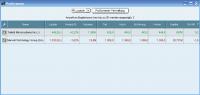
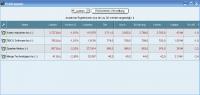
Hat schon jemand irgendwie was mit dem ProScreener auf die Reihe gekriegt ?


Praxisbeispiele wären gut, man kann die Funktion ja gleich kopieren und hier pasten.


P.S. Weiß jemand, wie ich das "=" so umprogrammiere, dass es das Ergebnis = mit einer Abweichnung von +-2 anzeigt ?


z.B. Möchte ich einen Auswurf, wenn der Kurs = PP +-2 ist.


indicator1 = close

indicator2 = (DHigh(1) + DLow(1) + DClose(1))/3

c1 = (indicator1 = indicator2)


SCREENER[c1] ((close/DClose(1)-1)*100 AS "%VAR")


Was tun ?


c1 = (indicator1 = indicator2)


Da muss ich irgendwie die +-2 einarbeiten.

Bearbeitet von AncientSion

  • Antworten 52
  • Aufrufe 3,3Tsd
  • Erstellt
  • Letzte Antwort

Top-Benutzer in diesem Thema

Veröffentlichte Bilder

Featured Replies

Geschrieben
  • Autor

So ist es, danke.


Allgemeine Frage noch an Whipsaw: Wie handelst du Öl ? Ich finde nur folgendes:


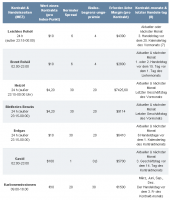
Ich hätte aber gerne etwas, dass den "normalen" CFDs mehr entspricht, d.h. einen endlosen Kontrakt. Hast du was bei IG bzw. gibt es sowas überhaupt ?


http://i219.photobucket.com/albums/cc76/AncientSion/Oel.jpg

Dein Kommentar

Du kannst jetzt schreiben und Dich später registrieren. Wenn Du ein Konto hast, melde Dich jetzt an, um unter Deinem Benutzernamen zu schreiben.

Gast
Auf dieses Thema antworten...

Account

Navigation

Suche

Suche

Configure browser push notifications

Chrome (Android)
  1. Tap the lock icon next to the address bar.
  2. Tap Permissions → Notifications.
  3. Adjust your preference.
Chrome (Desktop)
  1. Click the padlock icon in the address bar.
  2. Select Site settings.
  3. Find Notifications and adjust your preference.